

API Hubsoft
Hubsoft API documentation
To use the API, you need access credentials for authentication. They are created by an administrator user in your Hubsoft, under Configuration, General, Users. If you need help, talk to our support team.
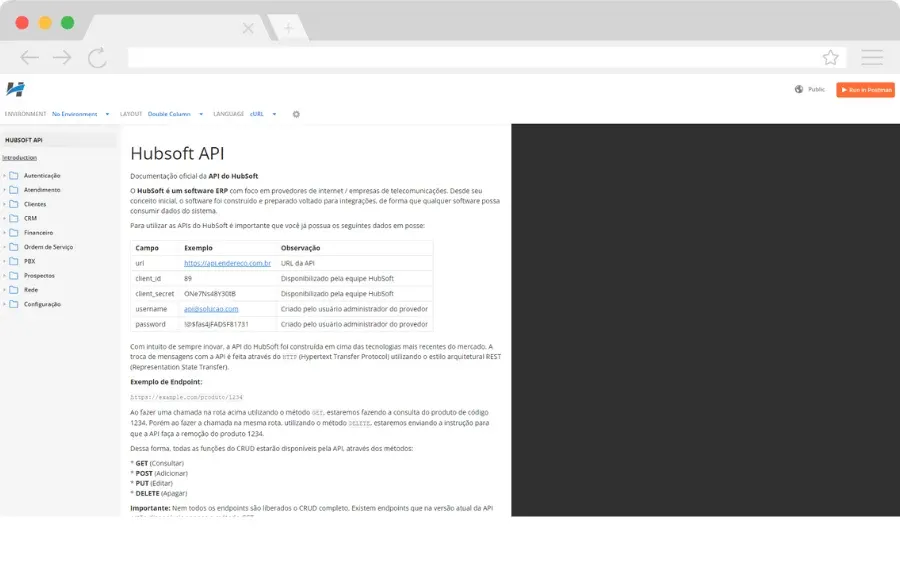
Quick answer: what the Hubsoft API is like
The Hubsoft API is open and REST-based, with JSON responses and public documentation at docs.hubsoft.com.br. With it, an in-house or third-party system reads and writes data in the provider's ERP. There is no integration fee.
- Authentication: OAuth. The system sends client_id, client_secret, username and password to POST /oauth/token and receives an access token, sent on later calls in the Authorization header (Bearer). The token is valid for 30 days and should be stored and reused.
- Credentials: they belong to the provider and are created by a Hubsoft administrator user. Support helps, with authorization from the company's manager.
- Rate limits: 20 requests per second, per IP, on integration endpoints (with bursts of up to 200) and 30 per minute on authentication. Above that, the API returns HTTP 429 and says how many seconds to wait before retrying.
- Pagination: large queries come in pages, starting at page 0. The response gives the last page and the total number of records.
- Methods: GET, POST, PUT and DELETE. Not every endpoint accepts all four; some are read-only.
What you can integrate
The documentation covers more than 190 endpoints, organized by area of the system:
- Customers: records, contracted services, contracts and bundles.
- Finance: invoices, renegotiation, one-off charges and accounts payable.
- Support and work orders: opening, lookup, scheduling, tasks and support ratings.
- Invoicing: NFCom, NF-e (model 55), NFS-e and telecom invoices (models 21 and 22).
- Network and mapping: CPEs, optical boxes, service ports and coverage feasibility.
- Inventory: products, assets, suppliers and stock movements.
- Sales: prospects and CRM.
- Settings: the lookup tables used by the other endpoints.
Simple layout
Easy for every user
The Hubsoft API documentation has a modern, easy-to-follow layout with endpoints, methods and JSON request examples to help you day to day.
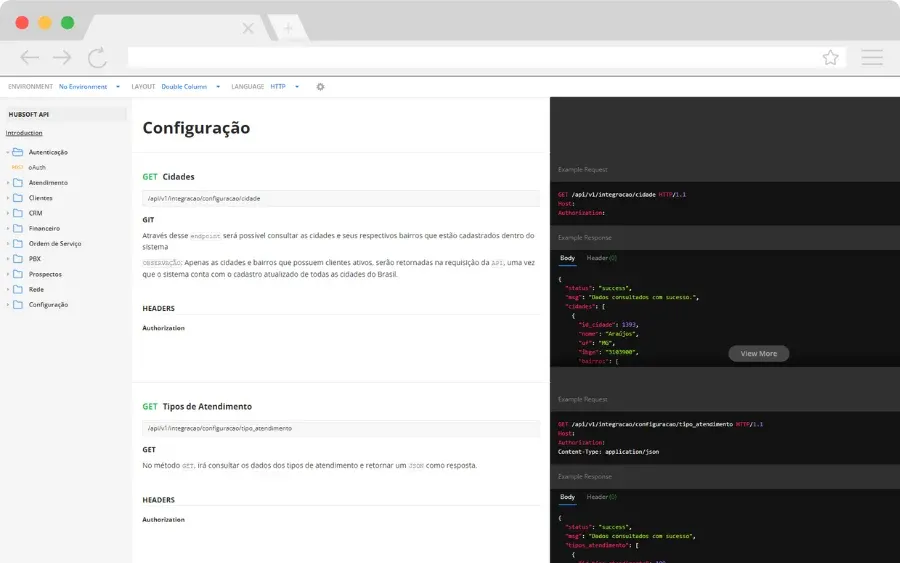
Postman
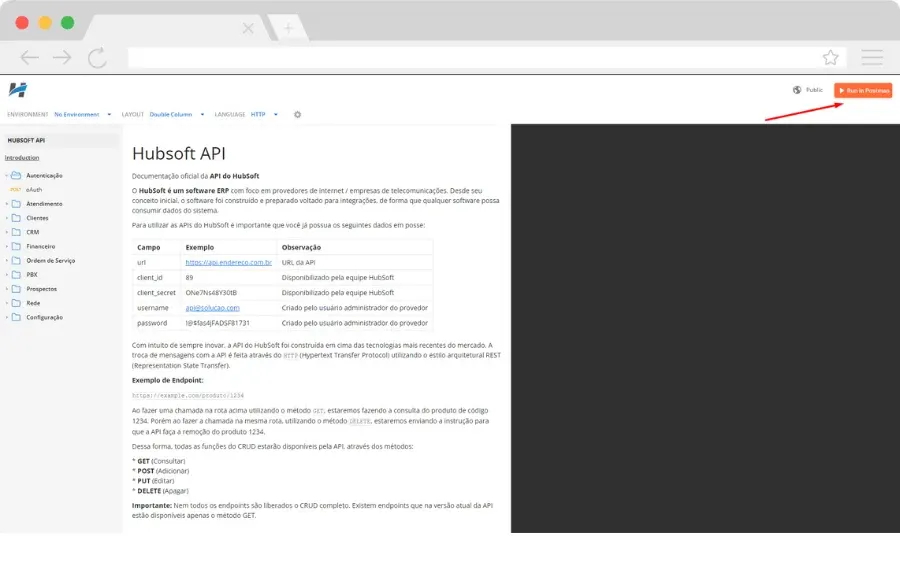
API documented in Postman
To make access easier, the entire documentation is available in Postman: fork it to your workspace or copy the examples.
Frequently asked questions about the API
Does Hubsoft have an open API to integrate with in-house systems?
Yes. The Hubsoft API is open, with public documentation and no integration fee (REST standard, OAuth authentication and published rate limits). With it, the provider connects in-house systems and third-party tools to the ERP data. The documentation is in the developer portal.
How does authentication work in the Hubsoft API?
Authentication is OAuth. The system sends client_id, client_secret, username and password to POST /oauth/token and receives an access token, used on all other calls in the Authorization header (Bearer). The token is valid for 30 days: store and reuse it, and renew it when it expires or when the API returns HTTP 401.
Does the Hubsoft API have rate limits?
Yes, per IP. Integration endpoints accept 20 requests per second, with bursts of up to 200. Authentication accepts 30 per minute, with bursts of up to 20. When the limit is exceeded, the API returns HTTP 429 and says, in the retry_after field, how many seconds to wait before retrying.
How do I get credentials for the Hubsoft API?
Credentials belong to the provider: client_id, client_secret, username and password, created by a Hubsoft administrator user. Whoever builds the integration gets them from the provider. Hubsoft support guides the process, with authorization from the company's manager.
Updated on