
Mapping
Mapping module
Hubsoft's Mapping module documents the ISP's FTTH network—including cables, poles, cabinets, optical boxes, and connected customers—and displays customers on the map in real time. With the Hubsoft app, geolocation works even when the phone is offline, and managers can track technicians' routes by GPS.

Highlights
- FTTH network documentation with cables, poles, boxes, and customers
- Geolocation through the app, even when the phone is offline
- Real-time GPS tracking of technicians
- Satellite view with Google Maps API integration
Mapping capabilities
-
Network documentation
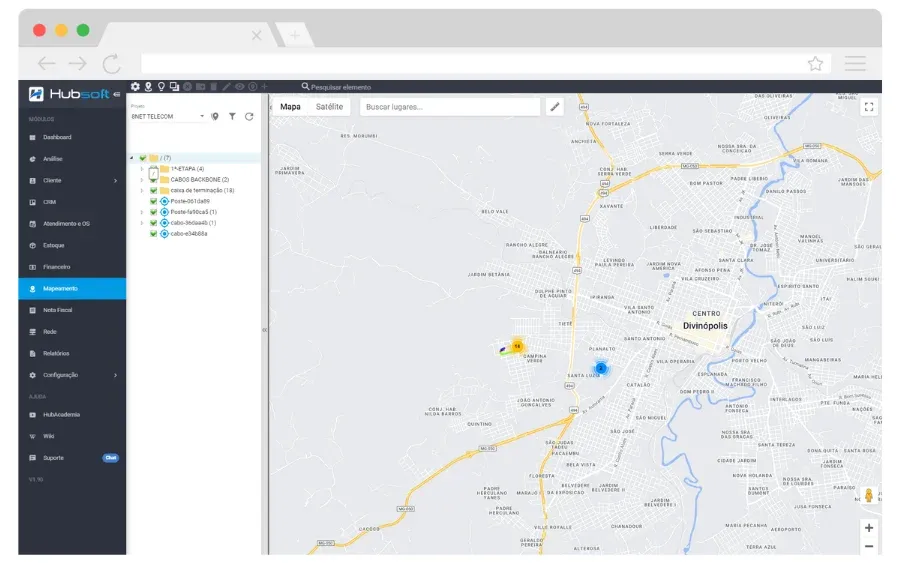
Through projects, document the entire network with cables, poles, cabinets, optical boxes, and customers connected to the boxes, as well as recording cable breaks.
-
Mapping the drop to the customer
Map the route the cable should take from the box to the customer's address, identifying the shortest path between the points.
-
Technician tracking
Track your technicians by GPS with the Hubsoft app, monitoring each person's current location and route in real time.
-
Satellite location
Hubsoft integrates with the Google Maps API and offers satellite view, making navigation easier.
-
Mapping customization
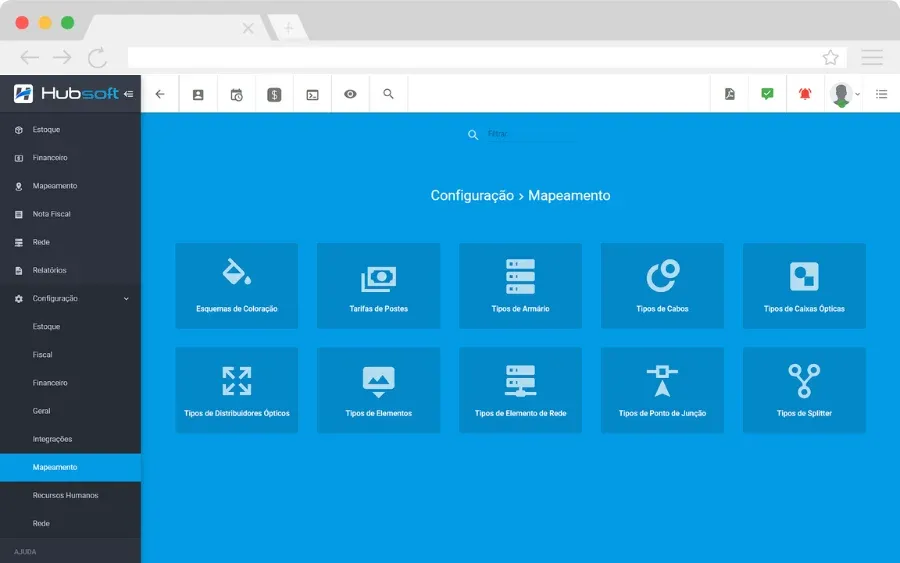
Configure color schemes, pole rates, and the elements available on the map, such as network element, splitter, cable, and box types.
With the Hubsoft app, you can use geolocation at all times, even when the phone is offline. Document your entire FTTH network and view all your customers in real time.
Network documentation
Through projects, document the entire network with cables, poles, cabinets, optical boxes, and customers connected to the boxes, as well as recording cable breaks.
Mapping the drop to the customer
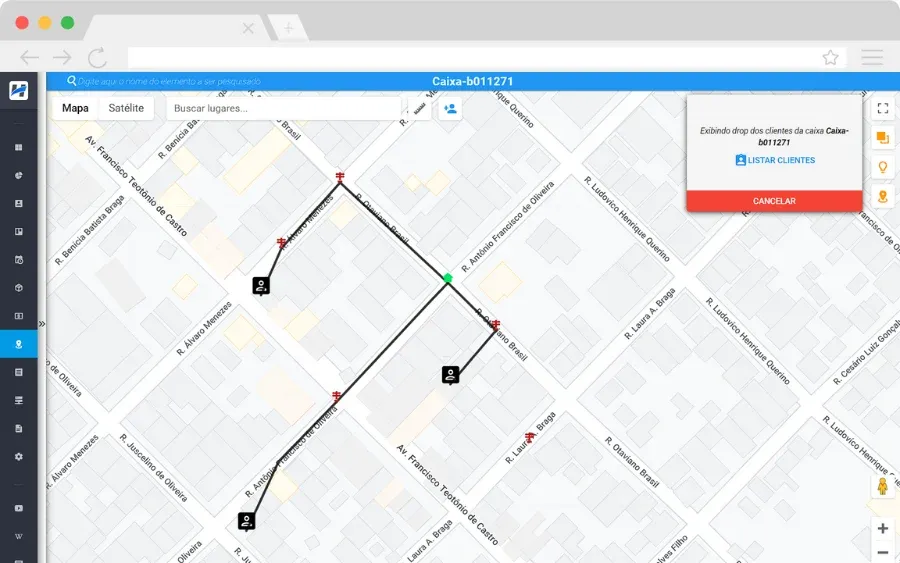
Map the route the cable should take from the box to the customer's address, identifying the shortest path between the points.
Technician tracking
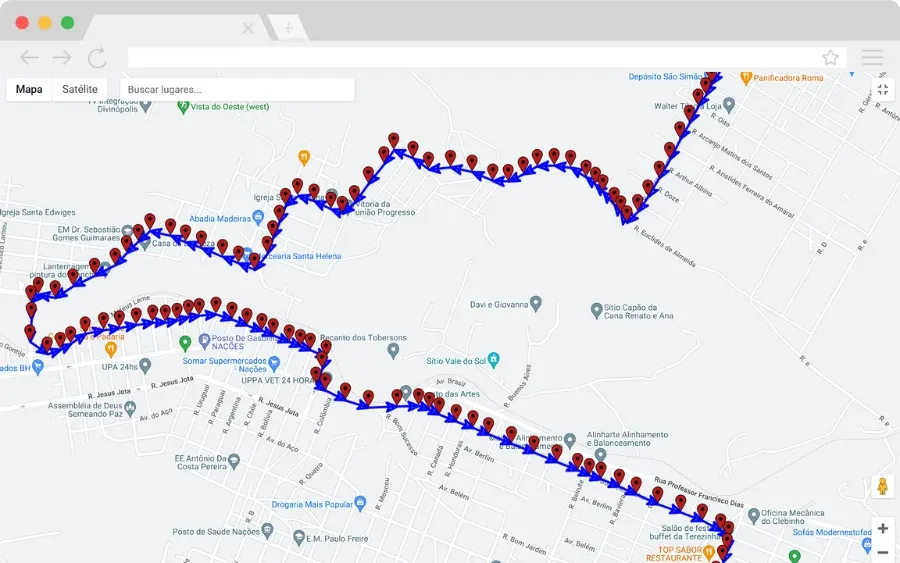
Track your technicians by GPS with the Hubsoft app, monitoring each person's current location and route in real time.
Satellite location
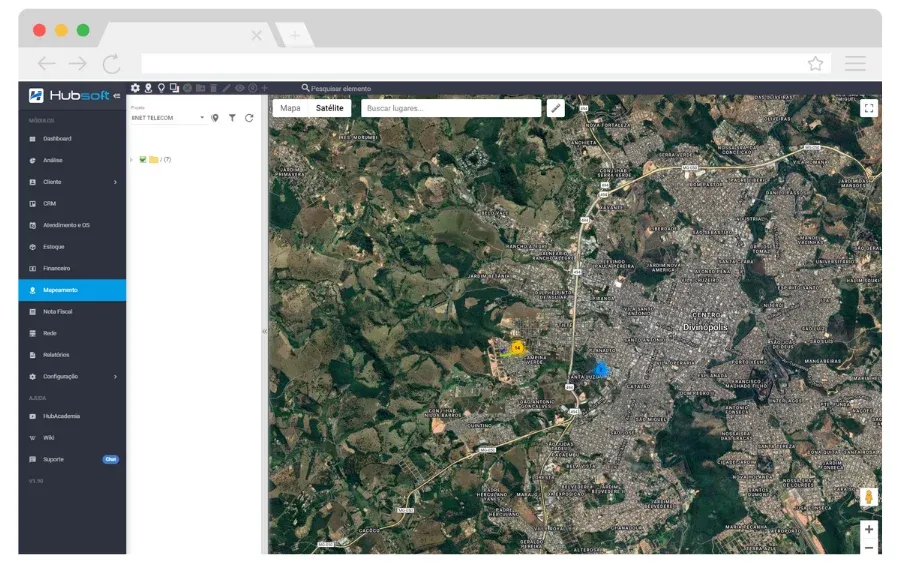
Hubsoft integrates with the Google Maps API and offers satellite view, making navigation easier.
Mapping customization
Configure color schemes, pole rates, and the elements available on the map, such as network element, splitter, cable, and box types.
Learn more
We've prepared a video that shows more about this feature in the system. And remember: at Hub Academia, you'll find comprehensive training that teaches you the Hubsoft features in depth.
Frequently asked questions
Does Hubsoft mapping work when the phone is offline?
Yes. With the Hubsoft app, geolocation works at all times, even when the phone is offline.
Which FTTH network elements can I document?
In projects, you can document cables, poles, cabinets, optical boxes, and customers connected to the boxes, as well as record cable breaks and map the drop to the customer's address.
Can I track the technicians' locations?
Yes. Through the Hubsoft app, GPS tracking shows each technician's current location and route in real time.
Other Hubsoft modules
-
Support and Work Orders
Manage support requests and work orders with complete control, protocol generation, technician scheduling, and work order execution through the app.
-
Finance
Manage accounts payable, financial transactions, and automated monthly billing, with a detailed view of remittances, returns, and payments received.
-
CRM
Manage relationships with potential customers in a customizable CRM, with labels, cards, permissions and conversion of prospects into customers.
-
Customers
Centralize each customer’s information on one integrated screen, including plans, financial details, services, work orders, and linked equipment.
-
Electronic Invoices
Issue telecom invoices, NFCom, product NF-e and service NFS-e automatically, integrated with Sefaz and city tax systems.
-
Networks
Document and manage your network with IP control, integration with concentrators and OLTs, a data usage dashboard, and Point of Presence registration.
-
Inventory
Manage your inventory with precision: inventory locations, movements, receipt via supplier NF-e XML, physical counts, and purchase requests.
-
Dashboards & Analytics
Monitor your provider with clear dashboards, support charts and custom reports and dashboards powered by the built-in Metabase.
-
Tasks
Manage, categorize and automate tasks to streamline workflows and keep track of your team’s activities.
-
Reports
Create custom reports for management.