CRM
CRM for internet service providers
The Hubsoft CRM is the customer relationship management module built into the internet provider’s system. It lets the provider track every potential customer, create as many CRMs as needed, customize colors, labels and permissions, and convert prospects into customers.

Highlights
- As many CRMs as your sales process needs
- Custom colors, labels and user permissions
- Cards with tasks, owners, comments and attachments
- Prospect-to-customer conversion
CRM capabilities
-
Create CRMs
Create as many CRMs as your provider needs and streamline internal sales processes in an organized, simple way.
-
CRM customization
Set your CRM colors, create and customize as many labels as you need and manage which users have access by configuring their permissions.
-
Custom cards
Add descriptions, labels, owners, tasks, comments and attachments to cards, view the change history, set dates and times, create prospects and convert them into customers.
CRM stands for Customer Relationship Management. With this feature, your provider keeps track of every potential customer.
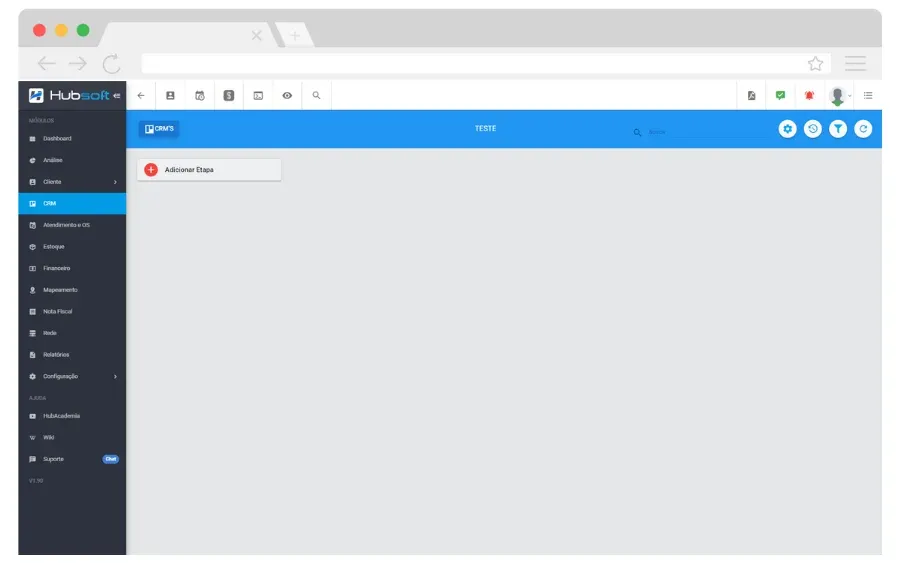
Create CRMs
Create as many CRMs as your provider needs and streamline internal sales processes in an organized, simple way.
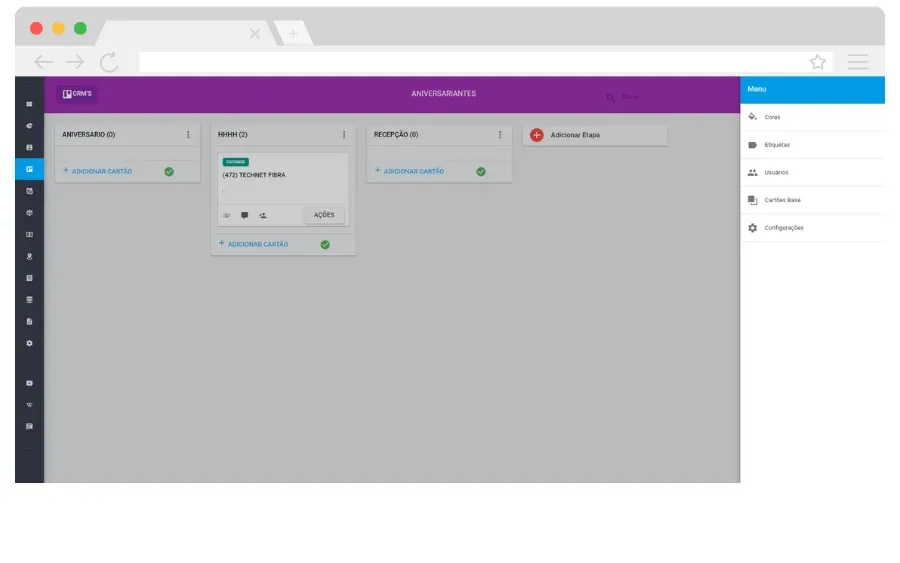
CRM customization
Set your CRM colors, create and customize as many labels as you need and manage which users have access by configuring their permissions.
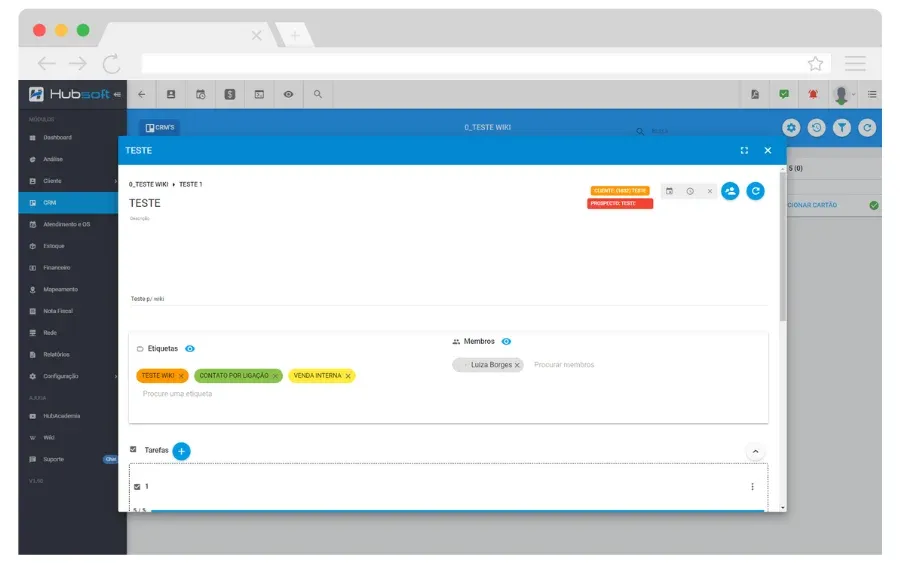
Custom cards
Add descriptions, labels, owners, tasks, comments and attachments to cards, view the change history, set dates and times, create prospects and convert them into customers.
Learn more
We’ve prepared a video that shows more of this feature in the system. And remember: Hub Academia offers complete training that covers Hubsoft’s features in depth.
Frequently asked questions
Can I create more than one CRM in Hubsoft?
Yes. You can create as many CRMs as your provider needs to organize internal sales processes.
What can be customized in the Hubsoft CRM?
You set the CRM colors, create and customize labels, control which users have access and configure each user’s permissions.
Can the CRM convert prospects into customers?
Yes. CRM cards let you create prospects and convert them into customers, as well as log tasks, comments, attachments and owners.
Other Hubsoft modules
-
Support and Work Orders
Manage support requests and work orders with complete control, protocol generation, technician scheduling, and work order execution through the app.
-
Finance
Manage accounts payable, financial transactions, and automated monthly billing, with a detailed view of remittances, returns, and payments received.
-
Mapping
Map your network with real-time geolocation, FTTH documentation, technician tracking, and advanced customization of map elements.
-
Customers
Centralize each customer’s information on one integrated screen, including plans, financial details, services, work orders, and linked equipment.
-
Electronic Invoices
Issue telecom invoices, NFCom, product NF-e and service NFS-e automatically, integrated with Sefaz and city tax systems.
-
Networks
Document and manage your network with IP control, integration with concentrators and OLTs, a data usage dashboard, and Point of Presence registration.
-
Inventory
Manage your inventory with precision: inventory locations, movements, receipt via supplier NF-e XML, physical counts, and purchase requests.
-
Dashboards & Analytics
Monitor your provider with clear dashboards, support charts and custom reports and dashboards powered by the built-in Metabase.
-
Tasks
Manage, categorize and automate tasks to streamline workflows and keep track of your team’s activities.
-
Reports
Create custom reports for management.